AI Search, Being Found On Bing, Being Found on Google, Bing Ads, blog, Blog, Blogging, Consulting, digital marketing agency, Enjoying What You Do, Google Ads, Google Nonprofit Ad Grant, keywords, lead generation, marketing consultant, meta tags, online advertising, organic SEO, paid search, pull marketing, Search Engine Optimization, search terms, SEM, SEO, SEO tags, technical SEO, walking, website

A Day In The Life Of An SEO Consultant

If you’re considering a career in digital marketing, and particularly within that, a specialty or expertise in SEO (search engine optimization), read on to learn what a typical work day look likes.

How An SEO Consultant Starts Her Day

8:30a.m. – 9:30a.m.

Check/read (and send response e-mail) e-mails, which inevitably include the following:

  • Notifications from paid search (SEM) ad platforms (Google Ads or Microsoft (Bing) Ads) about:
    • Policy changes that have caused a Google or Bing Search Ad to be disapproved
    • Ad extensions and ads that have become disapproved because “page destinations” are no longer working (sometimes, clients of ours take down or move website pages to which site links (one form of ad extension/asset) point or ads point and forget to let me know that pages have been taken down, moved, etc.
    • Payment form (credit card) can’t be charged — therefore, the credit card information that a client provided to Google Ads or Microsoft Ads is no longer accurate/has changed
  • E-blasts and e-newsletters about SEO and invites to various SEO webinars and classes (due to the large # of search engine optimization experts we follow)
  • Client questions about how well their website is or isn’t ranking in search engines, particularly Google
  • Questions or comments from other marketing professionals with whom I collaborate, including social media specialists, branding/graphic design specialists, and website designers and developers
This is an image of Gail Snow Moraski, our Boston SEO Company's Founder/Owner Who Is An SEO Consultant. Gail has blonde shoulder length hair and is waring and orange crew-necked sweater that reads "Carpe Diem" She is wearing classes and smiling and is standing in front of a field of black-eyed Susans in her backyard.

9:30 a.m. – noon

  • Use Google Analytics data, Google Search Console data, paid search platforms, and SEO rankings audit reports to analyze and document KPIs (key performance indicators) for upcoming monthly/standing client meetings
  • Have a mid-to-late morning #SEOStrong snack, particularly one with lots of protein like swiss cheese or hummus because you definitely need a sharp brain and a lot of energy to do SEO work!
  • Employ “Answer The Public” and Google Ads keyword planner tools to conduct keyword research in relevant geographies using approved “inputs” from client about what terms they believe their target audiences would use to identify someone who offers the services, products, and solutions to problems they offer
  • Check client Google Ad and Microsoft Bing Ad campaigns (including Google Nonprofit Ad Grant ones) to see how they are performing, including reviewing cost-per-click (CPC) and click-thru rate (CTR); plus, review and apply or dismiss recommendations from Ad platform to improve optimization score, and check for appropriateness of “search terms” for which ad platforms are serving up ads.

12p.m. – 6:00p.m.

  • Review SEO diagnostics reports to determine possible website issues and/or missed SEO opportunities related to a particular client’s website ranking situation.
  • Facilitate client discussion about next steps/implications of their SEO rankings audit, diagnostics reports, and/or monthly KPIs. Where do we go from here to move the SEO needle and drive more relevant searchers to the client’s website in the month ahead?
  • Write a blog post for my own website or for a client website to support SEO by addressing topics and answering questions that are important to clients, but also to show search engines, that the website in-question is being kept “fresh”
  • Write and enter SEO page/post title tags (this might be in WIX, GoDaddy, Joomla, WordPress, Expression Engine, or a propriety software such as a CMS platform used in a particular industry), and submit the revised pages/posts for indexing by Google and/or Bing using Google Search Console and Bing Webmaster tools.

7:00p.m. – 8:30pm

Check e-mail again and/or continue to complete client SEO work of the nature outlined above. Being an SEO consultant is not just a 9 to 5 job!

Considering Hiring An SEO Consultant/SEO Expert?

Reach out today to schedule a complimentary discussion about your particular organization’s marketing challenges and opportunities!

accountability, AI Search, alt-tags, Being Found On Bing, Being Found on Google, marketing best practices, meta tags, online presence, pull marketing, Search Engine Optimization, search terms, SEO, SEO tags, technical SEO, User experience, website

What Do Website Diagnostic Tools Help Reveal?

At Results Communications and Research, we often use two distinct website diagnostic tools to run website diagnostic reports for existing clients and prospective clients. These reports include:

  • Google Lighthouse Reports – these reports provide feedback — both an overall score for each category as well as detail on website factors, features, issues, etc. that contribute to the overall score — on the four broad categories below:
    • Performance
    • Accessibility
    • SEO
    • Best Practices
  • Site Auditor Reports – similar to Google Lighthouse Reports, these reports provide an overall score (but just one), but also give you all the behind-the-scenes detail, so you know what needs to be adjusted on your website, and why, to improve your score. What we love about this report is that it reports factors/issues that should be addressed into these three categories, so you know which ones are most important to address first, i.e., those that are most likely most contributing most to your site not ranking as well as it could in search engine results:
    • Critical – these should be addressed immediately
    • Error – these should be addressed after the above
    • Warning – these you can slowly chip away at
Powder blue/turquoisey square image that says "Why Run Website Diagnostics Reports? Related To Being Found On Google For Relevant Terms (SEO), They Identify: 1. Website Issues That May Cause Search Engines to "Ding" You, and Therefore, Be Reluctant To Serve Up Your Site 2. Website Practices/Features That Will Support Your Not Missing Out On SEO "Opportunities." The image also includes the logo of our SEO consulting firm, Results Communications and Research.

Why Run Website Diagnostics Reports?

If you’re a follower of our blog or a frequent visitor of our website, you know that our Boston digital marketing agency has an expertise in SEO (search engine optimization). We are super passionate about helping organizations be found on search engines for appropriate terms in relevant geographies. There are an extensive list of factors that can influence how likely Google or other search engines will be to serve your website up in search results. Ultimately, search engines want searchers to find what they need and have a good “user experience” when they visit a website that the search engine serves up in search results.

The two reports mentioned above can help you determine both SEO challenges and opportunities. We like to say, “they help you both identify issues with your website that are likely causing search engines to “ding” it and make them less eager/more reluctant to serve your site up in relevant search results, and identify missed opportunities related to being found on search.” The latter category reflects items that search engines aren’t necessarily dinging your site for, but if your website employed best practices related to them, your site would likely rank better in appropriate search results.

Examples Of SEO Challenges and Opportunities Revealed By Website Diagnostics Reports

There are a large number of factors and issues on which the above two diagnostics tools report, so the following list is far from exclusive. But, some examples of critical SEO challenges and opportunities that are revealed by the reports include:

Factors/Features That Likely Cause Your Site To Be “Dinged” By Search Engines:

  • Slow Site Load Speed – search engines do not like to serve up websites that are slow to load.
  • No Image Alternative Text Tags (Alt Tags) – search engines want site visitors to have a good “user experience,” as we mentioned above. If a site is not accessible, i.e., not able to be read by screen users used by those with visual impairment or other physical disabilities, how can the visitor have a good experience? Incorporating alt tags when you include an image on a website page or in a website blog post is just one of many factors to be addressed to ensure your website is accessible.
  • Pointing to internal or external website pages that have an http:// (non-secure) vs. https:// (secure) address. Search engines do not like to send visitors to insecure websites.
  • Broken links/missing pages – often pages to which website content links are removed/taken down — whether the links point to internal pages/posts or to external ones. Search engines see this as neglect and not keeping an eye on your website and will view this negatively.

Missed Opportunities That Cause You To Miss Out On Ranking Well In Search Engine Results:

  • Not employing SEO meta page/post title tags: we always call these “your most important piece of SEO real estate” as they are crawled by search engines and tell them for what topics/search terms to index a particular page or post on your website.
  • Not completing SEO meta description tags: while it’s unknown for certain how directly these tags influence how your website ranks, they indirectly do, at a minimum, since they let potential visitors know what a page of your site is all about when it is served up in search results. Ultimately, this causes your pages to have a higher click-thru rate, and Google and other search engines view sites that have more website visitor traffic as more credible ones, and therefore, ones they are more comfortable serving up in relevant searches.
  • Publishing duplicate website content: we won’t re-create the wheel since our most recent blog post speaks to the downfall of having too much duplicate content, but the takeaway is this: when you repeat the same or very similar content in numerous places on your website, search engines get confused and they may not serve up those pages in relevant search results, nor index that content to begin with!
  • Publishing content that is too short or that doesn’t contain enough true crawlable/indexable content: As we expressed in this blog post about an important Google Core Algorithm update, Google and other search engines do not like to serve up low-quality, unhelpful content. They want to serve up meaningful content that allows visitors to take action to address their particular concerns. In addition, search engines can’t crawl/index pdfs, so if a lot of a page’s content is housed in an infographic or image, that is content that search engines will not serve your site up for. Sure, you can tag the image on the back end, but it’s unlikely your tag can incorporate everything an infographic or an image with a lot of content, or a pdf, has to say.

Not Sure How To Run, Interpret, Or Respond To Website Diagnostics Reports?

As SEO Consultants, we can help you with all of the above, so reach out to our team of search engine optimization consultants today to schedule a complimentary discussion.

accountability, AI Search, Being Found On Bing, Being Found on Google, organic SEO, Search Engine Optimization, search terms, SEO, SEO tags, website

When You Should and Shouldn’t Repeat The Same Content In Several Places On Your Website

As an SEO consulting firm who has access to Site Auditor diagnostics reports thru a subscription, we are seeing that, when we run a website thru the aforementioned diagnostic tool, if the site shares certain content in two or more places (think on different pages or different blog posts within the site), the site receives a negative search engine optimization (SEO) warning for that. That’s because of the SEO implications of having “duplicate content.” When search engines, like Google and Bing, crawl a website and run into the exact same, or pretty identical, content blocks on more than one page of/post on your site, they may not end up indexing any of those pages (and therefore, won’t serve them up for relevant search terms) because they are confused about which page they should index related to certain topics to begin with. Or, if they do index pages/posts that have identical content, both pages or posts may rank poorly because of competing with each other, or search engines just feeling confused about when to serve them up.

You really need to think of search engines as entities that file and store information and who need your help to figure out where to file particular website pages or blog posts, i.e., what topic folder they should put them in. That’s where meta page and post titles come in, and really help search engines do their jobs!

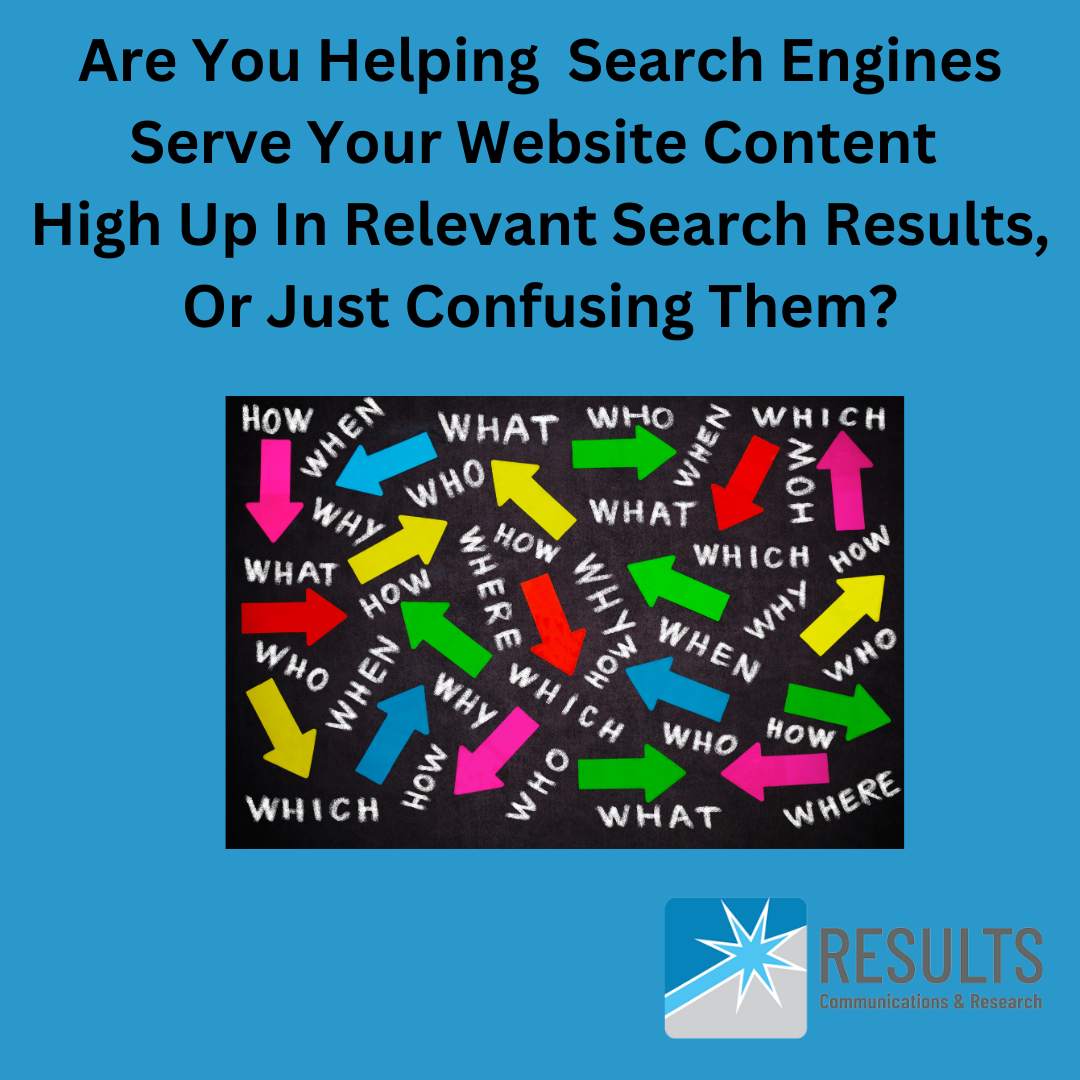
This is a dark powder blue/turquoise-colored square image. The image reads "Are You Helping Search Engines Serve Your Website Content High Up In Relevant Search Results, Or Just Confusing Them? The image contains a diagram that shows brightly colored arrows going in all direction that are labeled, what, how, when, who, where, why, etc. The image also contains the logo of our Boston SEO Company, Results Communications and Research.

When You Should Share The Same Content On Several Pages Of/Posts On Your Website:

  • When it’s contact information, such as:
    • e-mail address
    • physical address
    • phone number
    • social media icons that link to your social media media profiles
  • When it’s critical to website visitors’ health & safety, such as:
    • needing to wear a mask when visiting your physical location
    • needing to call 911 or call a doctor in case of a health emergency vs. making a health decision based on visiting your website
  • When you need to include an important disclaimer, such as legal ones or ones required by a regulatory body:
    • before trying this, speak with your doctor
    • we are not medical or health professionals, or licensed xyz professionals
    • all users of our product/service may not experience the same results or results may vary

When You Shouldn’t Share The Same Content On Several Pages Of/Posts On Your Website:

  • When you’re posting detailed content/information on a particular topic (including information about your products or services, or about your organization) that is more than a couple of sentences, and particularly when it’s several paragraphs or more.

Instead Of Sharing The Same Content On Several Pages Of Your Website:

When All Else Fails:

If there are reasons why you must post the identical or almost-identical lengthy and/or detailed content in more than one place on your site — unfortunately, we couldn’t think of any examples for needing to do this at the time of writing this post — then, you can use what’s known as a “canonical tag” to help identify for search engines, which is the main/master version of the content.

Need Help Identifying If There Are Any Issues Related To Your Website That Are Negatively Impacting SEO And How Your Website Ranks In Google?

As SEO consultants, we can run a couple of different diagnostics reports to help you identify current issues with your website that may be harming how high up in search-engine results your website is found for relevant search terms known as keywords, in relevant geographies. We, can, then, help you interpret the implications of the issues and possibilities for resolving them.

Schedule a free, no-obligation about our SEO services today!

alt-tags, Being Found On Bing, Being Found on Google, Blog, Blogging, Consulting, Google Ads, keywords, lead generation, marketing consultant, meta tags, online advertising, online presence, organic SEO, paid search, Quora, Reddit, Search Engine Optimization, search terms, SEM, SEO, SEO tags, technical SEO, Uncategorized

What Is An SEO Consultant?

While I’ve referred to myself and my business as a marketing consultant or marketing consulting firm, it never struck me that individuals would use the term “SEO consultant” to refer to someone who offers the SEO services (search engine optimization services) that I and my firm does.

Just by chance, while conducting some keyword research for a client that offers business and management consulting services, I stumbled across the term and the average monthly search volume for it. Did you know that 27,100 individuals a month, across the whole U.S., search on this term in Google? That’s a lot of searches on an annual basis!

So, I’m using this blog post as an example of how you can write a blog post to support being found for a term relevant to your business and services you offer, but also to explain to individuals who are searching on the term, what “SEO Consultant” means and what an SEO Consultant does.

An SEO Consultant is an individual or firm who can help your organization be found on Google and on other search engines for relevant terms, and in relevant geographies.

This is a square gray image with black and turquoise and blue text which reads "Did You Know That There Are Consultants Whose Sole Or Primary Focus Is To Help Your Organization Be Found in Search-Engine Results Listings By Your Target Audiences? They Are Known As: SEO Consultants. The image also contains the logo of our Boston SEO Company, Results Communications and Research.

So, What Exactly Do SEO Consultants Do?

Every SEO consultant’s approach to SEO is likely slightly different, but, in general, SEO consultants not only help your website rank well “organically (via unpaid/non-advertising tactics)” in search engines, but also your Google My Business Profile or Bing Places Profile (collectively referred to in this post going forward as “Business Profiles”). In addition, they may also help you identify presences you can have on social media platforms and discussion forums, like Reddit and Quora, to support your organization being found in search engines, since social media presences and discussion threads can also be served up in search results — not just your website or Business Profiles.

We believe that, ideally an SEO assessment to arrive at an SEO state-of-the union (an understanding of how your website and Business Profiles already support or don’t support your being found on search engines) should be completed first. Hey, we and you don’t want to break something that’s already working and doesn’t need fixing, right? That, should, then, be followed by implementation of various SEO tactics and best practices, based on what the audit/assessment reveals is warranted and appropriate.

Step 1: Initial SEO Assessment/SEO State-of-the-Union Evaluation

To achieve the objectives above, common initial activities that an SEO consultant may complete to arrive at an SEO state-of-the-union include, but are not limited to:

  • Conducting keyword research to identify what terms your target audiences are searching on most to identify someone who offers the services, products, and solutions to problems your organization offers — and in the right geographies.
  • Employing website diagnostics tools to run reports that assess how well your website employs best practices, including what’s known as technical SEO practices (think your website performing well and loading quickly), and provides for a good user experience.
  • Reviewing what’s known as your “behind-the-scenes” meta tags to ensure that they inform search engines and searchers what your website is all about.
  • Analyzing your Google Analytics, Google Search Console, and Bing Webmaster data to see what percentage of your website traffic comes from search engines, and for what terms Google and Bing are serving up your website most.
  • Conducting an SEO rankings audit to see just how well your Google My Business Profile and website rank on Google, and how well your website ranks on Bing.

Step 2: SEO Tactic Implementation To Address Areas For SEO Improvement Revealed By An SEO Assessment

Once the analyses listed above are completed, an SEO consultant will come up with a list of one-off/one-time SEO tactics and ongoing/regular/monthly tactics that should be implemented to support your website and various Business Profiles ranking better, plus your organization being found more online. These may include, but are not limited to the following:

One-Off/One-Time SEO Tactics To Support Being Found On Search Engines

  • Making your Bing Places and/or Google My Business Profiles (Business Profiles) more comprehensive.
  • Rewriting, or if they are missing, writing your meta tags for various website content (pages, posts, and images), and implementing and/or working with you or your website developer to implement them on your website.
  • Suggesting and/or writing new blog, FAQ, or website content to support your site ranking better in search-engines for certain high-volume keywords (search terms.)
  • Submitting any revised website pages and posts for indexing/crawling by Google and Bing by using Google Search Console and Bing Webmaster tools.
  • Developing and implementing paid search/search-engine advertising via Google Ads, Microsoft Bing Ads, or both, for organizations who don’t have the luxury of the long window required to rank better in search results, and need to rank well immediately!

Ongoing SEO Tactics — Since SEO Is Not A One And Done Marketing Activity!

  • Posting content regularly, including new blog post links, on Business Profiles
  • Writing, or making suggestions for blog topics, plus ensuring meta tags are appropriate and new website blog content is submitted for crawling/indexing by Bing and Google
  • Using Google Analytics, Google Search Console, Bing Webmaster, and SEO rankings audit tools and diagnostic reports to monitor how your website and aforementioned Business Profiles are ranking in search-engines and making regular recommendations about tactics to improve rankings, as necessary

Speak With An SEO Optimization Consultant To Learn More

Want to learn more how we help and collaborate with organizations to ensure their websites, Business Profiles and other online presences are optimized for search? Reach out today to schedule a complimentary, no-obligation discussion with an SEO consultant!

AI Search, Being Found On Bing, Being Found on Google, Bing Ads, Google Ads, Google Nonprofit Ad Grant, marketing best practices, online advertising, paid search, pull marketing, Search Engine Optimization, search terms, SEM

Should I Use A Call Ad Extension In My Google Ads?

Earlier this year, our Boston SEO Company wrote a number of blog posts to help our readers understand the paid-search side of search engine optimization (SEO). Two key organizations who offer opportunities to run ads that will appear at, or near the top of search results for the search terms (known as keywords) and geographies you provide them with when setting up your account, include Google Ads and Microsoft Bing Ads.

We highlighted Google Ads in our headline above because, despite the recent anti-trust lawsuit against Google, and more than 30 AI Search engines vying to be the top search-engine as use of AI search engines grows, Google’s search engine is still used by more than 90% of search-engine users. Regardless, the opinion we share below about whether or not to use a call ad extension (also known as a call ad asset) in your ads pertains to both Google and Bing Ads.

What Is A Call Extension Or Call Asset?

A call extension or call asset is a hyperlinked phone # (housed behind a phone icon labeled “call us” that the advertising platform serves up) that you can include along with your main ad body content when employing paid search advertising (also know as SEM, or search engine marketing). Any time someone clicks on this hyperlinked phone #/phone icon (see print screen below) the organization with whom you’ve placed your advertising will charge you for that click, the same way you pay a certain cost-per-click when someone clicks on the main body content of your ad or a different type of ad asset, such as a sitelink.

Reasons Not To Include Call Assets In Paid Search Advertising

Getting back to the answer to the question in the title of our blog post, the answer is “no, you shouldn’t include a call/phone extension/asset in your paid-search advertising.” We’ve run countless Google Ads campaigns for clients and our own business, and are now running Bing Ads for our own and client organizations. Based on our own experience and what we’ve heard/learned from other marketing professionals, our reasons for this are simple, and outlined below.

Call Assets/Call Extensions Waste Advertisers’ And Ad Clickers’ Time, Plus Advertisers’ Money Because:

  • Bots may click on call assets/extensions and each click on your hyperlinked phone #/phone icon that represents your call asset/extension will cost you money. As we explained above, the same way that search advertising platforms charge you each time someone clicks on the main ad body content of your ad or other ad extensions like site links, paid search advertising platforms will charge you for clicks on hyperlinked phone #’s.
  • In addition to the actual fee you pay to an advertising platform for clicks on phone # assets, you’ll also be paying for the time of your organization’s team member who answers the phone and interacts with someone who isn’t the right fit for what your organization offers, and of course, if they aren’t the right fit, the ad clicker will have also wasted their time. Even if your organization is a nonprofit one and not paying for your advertising clicks because of having a Google Nonprofit Ad Grant in place, you still don’t want to waste your team’s time or that of an ad clicker.
  • Searchers, i.e., individuals who have your ad served up to them, are usually in a big hurry. Search advertising platforms often serve up your ads to individuals who aren’t the right fit for your product, service, and solution, despite your ad body copy and keywords indicating who would be the right fit. Searchers often don’t take the time to read ad body content, and they may simply click on your call extension without visiting your website to see if your products, services, and solutions are the right for them. We’ve seen this happen over and over again.

Here’s an example that supports our above thinking. As you’ll see from the below print screen, we typed “designers near me” into Google. These ads (identified by the word “sponsored”) appeared. But, the search terms we entered into Google are very vague. Are we looking for a home designer, an interior designer, a graphic designer, etc.? If we clicked on the “Call Us” phone icon (call asset/extension which is hyperlinked to a phone #) without reading the ads and were looking for a graphic designer vs. a home designer or home renovator, we’d be wasting the advertisers’ money and time and our own time.

In sum, while it might seem ideal to make it easy for searchers to call you right away when they have an ad served up to them, you are better off from a financial standpoint, and good will standpoint (therefore, avoiding clickers getting frustrated with your organization) if you force them to 1) read the ad and 2) visit your website to learn more before they call you.

Check Out These Other Recent, Helpful Blog Posts For More Google Ads Wisdom From Our Boston SEO Company

Need Help Optimizing Your Google Ads Or Bing Ads Or Getting Your Paid-Search Advertising Spend Down?

Reach out today to schedule a complimentary paid search advertising discussion about how our team of SEO experts can help you with the above.

Acceptance of Circumstances, AI Search, Being Found On Bing, Being Found on Google, blog, Blog, Blogging, brand promise, Customer Service, good will creation, Google My Business Profile, keywords, marketing best practices, online presence, pull marketing, relationship building, Search Engine Optimization, search terms, SEO, staying current, target audiences, Target Marketing, Understanding Your Environment, User experience, walking

To Continue To Succeed At SEO, “You’re Going To Need A Quality Shoe”

Mark Knopfler fans will understand where the quoted phrase in our blog headline comes from. I was first introduced to Mark’s wonderful storytelling abilities by my husband, Jay, when we were dating or first married. One of Mark’s songs that I first took a great liking to was his song “Quality Shoe.” Be prepared for the earworm that comes from wanting to listen to this song over and over!

“Quality Shoe” by Mark Knopfler YouTube video

What Do Shoes Have To Do With SEO?

The answer to the question above is this: a great deal!

As we’ve called out in a number of blog posts over the past year, the SEO landscape continues to shift — and on a daily basis. As we recently expressed in this blog post about thriving — not just surviving — in the SEO jungle, it’s our belief at our Boston SEO Company/digital marketing agency that the organizations who will continue rank well in search-engine results, despite all the change on the search-engine front, are those that really try to walk in their target audiences’ shoes and answer the questions and concerns they have. And, keep in mind, that these questions and concerns may be related to the product or service the organizations who succeed at SEO offer, or they may be unrelated, or only distantly related.

Sure, as we discussed in another blog post about succeeding at SEO, entitled “Give The People What They Want, you can use keyword research tools to determine on which topics, particularly questions, your target audiences are regularly conducting Google searches. But part of walking in your target audiences’ shoes also includes:

  • digging down deep mentally and emotionally to really understand your marketplace and your organization’s place in it
  • making and taking the time to think about what are the likely questions your target audiences have about your products or services, plus, about working with/buying from/engaging your organization
  • brainstorming with individuals at all levels of your organization, particularly those who are in customer-service roles, or who actually provide or deliver your product or service, to determine what client “pain points” your product or service addresses
  • reaching out to customers with whom you have a strong and longstanding relationship to ask them for feedback about why they chose to work with your organization or buy your product, and how the product or service has made their life or job easier
  • In addition to chatting with your organization’s staff and clients about the problems your products or services solve and using those to inform website and other online content your organization publishes, as part of such internal and external discussions, ask about other pains/challenges your target audiences deal with regularly (even if you don’t offer a solution to them). Simply providing helpful information online on topics or questions that are tangential to your products or services, but important to your target audiences, is a great way to have search engines serve up your website or Google My Business Profile in related to searches being conducted by your target audiences even if they aren’t directly related to your organization. It’s a win-win.

So, break out those quality shoes and start the walking-in-your-clients’-shoes process today! And, check out this blog post that speaks to another reason you and your organization are “going to need some quality shoes.”

Plus, if you’re an avid walker (literally vs. figuratively) like us, check out our many blog posts about walking by selecting walking as your category when you visit our blog.

Need Help Determining What Online Content Would Benefit Your Target Audiences?

Schedule a complimentary SEO discussion today!

alt-tags, Being Found On Bing, Being Found on Google, keywords, organic SEO, pull marketing, Search Engine Optimization, search terms, SEO, SEO tags, website

Three Website Meta Tags That Still Matter In The Game Of SEO

Let’s dive right in about the three website meta tags that we believe, and are witnessing, still matter in the game of SEO (search engine optimization).

#1: SEO Page Title Tags And SEO Post Title Tags

In countless posts about Search Engine Optimization (SEO), we’ve talked about how important it is for organizations to use appropriate high-volume keywords and geographic “triggers” in their behind-the-scenes meta SEO page title and meta SEO post title tags.

Some digital marketers may believe that tagging pages and posts appropriately to be found on Google in relevant geographies is far less important with the introduction of AI search tools, including Google SGE. Of course, that could always become the case down the road, but based on what we’re currently seeing related to one-off and ongoing SEO-tactic implementation and Google rankings audits we continue to complete, we continue to believe that constructing your SEO tags appropriately and entering them in the appropriate spot in your website CMS (content management system) is extremely important to achieving optimal SEO results. Whether it be via WordPress plug-ins like Yoast or AllInOneSEO (the SEO plug-in we use on our site) or capabilities that come with a Web Builder platform like WIX or GoDaddy — entering page and post title tags is one of the most critical, if not the most-critical of SEO steps to take if you want your website to rank well for relevant, desirable search terms used by your target audiences in relevant geographies.

We always like to say “SEO Page and SEO Post Title Tags are your most important piece of SEO real estate.” They tell Google what a particular page of your site or blog post is all about, including the products and services you offer, and where you offer them. As Google crawls/indexes your website it looks for direction and information about the former from your site. And, now, unlike 5 years ago, these tags are likely to be included in reader-facing search-engine results (plus, they appear in website visitors’ browsers), so it’s important to get these right! And, It’s worth hiring an expert like our SEO company, Results Communications, to ensure your website title tags are optimized to achieve the best possible Google rankings results.

This is a gray square image with a dark powder blue text that reads "3 Website Meta Tags That Still Matter In The Game Of SEO (Being Found On Google." It includes the following bulleted list:  SEO Page & Post Title Tags, Meta Description Tags, Image Alt Tags

#2 Meta Description Tags

The above tags may or may not be included in the description (lines of text) that Google serves up in a search engine results listing along with a link to your website since, as mentioned above, Google will likely include your SEO page/post title tag now, plus pull other snippets of content from your site. We used to say that, “meta descriptions don’t directly influence how organizations’ websites rank in Google.” But rather, that they indirectly influence it because if meta description content/copy is compelling and includes a call-to-action like “learn why SEO page title tags are your most important piece of SEO real estate” or “read why you shouldn’t expose yourself to blue light before bed,” more individuals will be likely to click on the link to your website that accompanies such content.

And the above-mentioned, in turn, drives more traffic to your website. And, Google gives preference to serving up higher-traffic-volume sites in its search results because it likes to serve up the most creditable sites, and Google uses traffic volume as an indicator of a site’s positive reputation/credibility.

What Is Website Click-thru Rate (CTR)?

It’s important to note that we’ve recently read that Google does now take into consideration a website’s click-thru-rate (CTR) when deciding how to rank various competing websites. Per Google’s own AI overview related to this, “Google uses CTR as a signal of how engaging and reader-friendly content is, and it can indicate how well a website is performing in terms of SEO and user engagement. High CTRs can tell search engines that people like what a website has to offer, which can help it rank higher in search results.” So what is the CTR and how can you find out what yours is?

Your website CTR represents the percentage of search-engine searchers who, after having a listing with a link to your website served up to them in search-engine results, actually click on the link to visit your website.

Since Google still reigns by far as the most-used search-engine, it’s most important to understand your website CTR as pertains to Google searchers who are searching on relevant terms in your desired geography. As the below print screen taken from Google Search Console shows, you can get information on your website click-thru rate using your Google Search Console account (reach out to us if you need help setting up a Google Search Console account or understanding the value of having one).

#3: Image Alt Tags

Like the other two types of website meta tags, we’ve talked about image alt tags in previous posts, including this blog post about the need to tag website infographics so that visually impaired site visitors can have these tags read to them by their screen reader.

We recently conducted an audit to try to assess why a professional-services client’s website wasn’t ranking as well in Google as some of their competitors. The audit revealed a key differentiator between the client’s website and their competitors was that the competitors’ sites had higher website diagnostic scores related to accessibility.

Accessibility impacts user experience, without a doubt, and Google continues to place great emphasis on user experience when deciding which websites to serve up first for various search terms in various geographies, so it stands to reason Google would reward “accessible” websites from a user-experience standpoint.

We encourage all of our clients to make ‘n take the time to write effective alt-tags that make their website a positive user experience for ALL website visitors, including those challenged by disability — not just because this activity supports SEO, but because it’s the right, human thing to do.

Let Us Write Or Rewrite (Revise) Your Meta Tags To Support Being Found On Google

Our team has years and years of experience writing/constructing optimized SEO tags to support websites being found on Google. Reach out today to learn how we can help with putting the right meta tags in place on your website!

Being Found On Bing, Being Found on Google, digital marketing agency, Google Ads, Google Analytics, Google My Business Profile, keywords, marketing agency, marketing consultant, Marketing Planning, organic SEO, paid search, pull marketing, Search Engine Optimization, search terms, SEM, SEO, technical SEO, Uncategorized, website

Why Our Boston-Area Digital Marketing Agency Specializes In SEO

As we were pleased and proud to share in a spring 2024 blog post about our Boston digital marketing agency’s and SEO company’s 10-year anniversary, Results Communications & Research has been serving for-profit and non-profit clients for more than 10 years!

After 30 years working in corporate roles, and many of them in marketing and marketing leadership, our Principal, Gail Snow Moraski, decided to launch a digital marketing agency that would allow small business owners and nonprofits the same breadth/depth of experience they’d get from a larger marketing or adverting agency, but at lower rates, and more personal attention.

From corporate roles, our Principal knew a decent amount about paid SEO (Google Ads) because of working with ad agencies (for whom she was a client) on various campaigns, but her knowledge of organic SEO (search engine optimization) was fairly limited. Since she’s always been a very technical and analytical person — characteristics that are required to really succeed at both paid SEO and organic SEO — needing to slice ‘n dice data and use technical skills really appealed to her. So she set out to better educate herself on both organic SEO (tactics that support ranking well in search engine results without paying for a media/advertising buy) and paid SEO (search engine marketing/SEM).

Gail’s first marketing job after completing her MBA with a marketing concentration at Boston University was at a market research firm where she oversaw market research studies for well-known consumer brands. She loves “peeling back the onion,” to see what the data reveals and that’s an exercise she does all day long related to all of the following activities (and many more!):

  • Conducting and analyzing keyword research using Google Ads keywords planner tool or Keywords Everywhere Chrome extension
  • Employing website diagnostic and SEO ranking audit tools to access whether or not an organization’s Google My Business Profiles and/or website are ranking well in Google search results for relevant terms in desired geographies
  • Making and/or recommending organic SEO revisions to websites and Google My Business Profiles, or revisions to Google Ads campaigns, and assessing how those revisions impacted results
  • Employing various digital marketing accounts like Google Analytics (GA4 Analytics), Google Search Console, and Google Analytics to obtain and analyze data to inform current and future marketing strategy and activities.

Plus, per our recent blog post, “Is Social Media Worth It?,” our Principal has always been a bit apprehensive about organizations relying too heavily on social media posts to move the marketing & sales needle. Based on years of analyzing Google Analytics website visitor data and behavior for a diverse mix of clients, our experience has been that social media posts, in most cases, do not generate sales, leads, or inquiries. There are exceptions to this, particularly when it comes to consumer goods and service organizations, but we’ve seen many an organization invest a very disproportionate amount of their marketing $$ and time in social media post creation and scheduling when very little, if any new business, is generated from it. Should all organizations maintain a social media presence of some sort? Sure. You want your organization to be viewed as “relevant,” and social media also creates awareness, the first step in the sales cycle, but don’t expect social media to move mountains.

Given the above, Our Principal wanted to focus our energy and time for clients on marketing activities that most move the sales needle and has always believed that, as long as your products, services, and solutions are ones that research shows individuals are searching to find, why not put a good chunk of your marketing $$ and time in being found by those individuals since they are “hot” leads?

And, quite honestly, our Principal also saw that offering Google Ads campaign set-up, monitoring, optimizing, reporting, and analysis, plus organic SEO services related to employing best practices to support websites and Google My Business Profiles ranking well in Google, separated her from a number of other marketing consultants and small marketing agencies who didn’t offer such services, or have such knowledge.

Let Us Bring Our Passion For SEO To Helping Your Organization Be Found On Google (and other search engines, of course!)

We can regularly be seen on LinkedIn responding to SEO conversations, and we read everything we can get our hands on about SEO. We also passed a number of Google Ads certification exams. Plus, as mentioned above, we constantly test and evaluate ideas for getting our own Google My Business Profile and website, and well as those of our clients, ranking higher in relevant search results. Let us bring that passion, knowledge, and expertise to your organization’s SEO efforts. Reach out today to schedule a complimentary discussion with us about your marketing challenges and opportunities!
Acceptance of Circumstances, Being Found On Bing, Being Found on Google, Search Engine Optimization, search terms, SEM, SEO, website

What Your Google My Business Profile Can And Can’t Do For Your Organization

As I’ve shared in a number of blog posts, I tend to get my ideas for new blog posts from encountering the same client questions or challenges over a short period of time. Recent questions about Google My Business and its impact on an organization being found for relevant searches in geographies non-local to the organization prompted this one.

Why Do You Need A Google My Business Profile?

  • You want your organization to be found on Google for relevant “near me” and “city” and “town” searches. When I say “relevant,” I mean searches that contain terms related to the products, services, and solutions you offer, such as property management services or roof installation services.
  • Even if, in addition to being found locally, you want to found and hired by individuals and businesses residing far outside of where your main physical address/headquarters is located, you still want and need a Google My Business Profile and you want to embed it on the “Contact page” of your website.
  • Creating/claiming a Google My Business Profile for your organization is just an SEO best practice and no-brainer, because, hey, if you can’t even rank locally, how are you going to rank regionally and nationally? I always say if you try to “rank everywhere, you’ll end up ranking nowhere (unless you’re a household brand like Pepsi, of course.)” And, I’ve always heard that ranking locally via a Google My Business Profile indirectly supports ranking more globally even if it doesn’t directly cause the aforementioned ranking.

So, What Can A Google My Business Profile Do For You?

The answer is quite simple. As indicated above, a Google My Business Profile can help you be found locally, but its primary purpose is not to cause your organization to be found regionally or nationally, even though, as also mentioned above, having such a Profile can support ranking (being found) regionally or nationally in search engine results for relevant search terms, known as “keywords”.

Again, Google My Business Profiles are all about helping organizations be found for local, relevant searches. That was the primary intention/purpose when Google first introduced such Profiles.

On The Flip Side, What Can’t A Google My Business Profile Do For You?

I’ve read that a Google My Business Profile is unlikely to be served up to anyone searching for an organization who offers the products, services, and solutions you do who is conducting such a search from a location more than a two-hour drive away from the physical address associated with your Google My Business Profile. And, as I always say to clients, “the further away the physical address associated with your Google My Business Profile is from the geography in which you hope to be found, the less likely Google is to serve up your Google My Business Profile, and the more likely it is to serve up a competitor’s Google My Business Profile that has a physical address associated with it that is closer to, or in, that specific geography.”

As alluded to above, your Google My Business Profile can’t cause you to be found for searches related to your products, services, and solutions, in cities, towns, states, regions, zip codes, and countries that are nowhere near your physical offices. It’s just not going to happen that having such a Profile is going to be the primary driver of your organization being found for geographies far outside your physical address.

Other Means For Your Organization To Rank Regionally/Nationally/Globally

Fortunately, there are other digital marketing tactics/activities that can help your organization be found by searchers who live or work far from your physical offices. That’s where your website and/or Google Search advertising or Bing advertising (paid search, SEM, search engine marketing, paid SEO) come in. Related to your website, there a number of best practices that our organization can help you to employ to support your organization being found in geographies that extend far beyond your local service area and physical office, and we also have more than 10 years experience in implementing search-engine advertising campaigns for organizations of all shapes and sizes including Google Nonprofit Ad Grant campaigns for nonprofits. Reach out today to learn more, or read more about our organic SEO services.

Acceptance of Circumstances, Being Found on Google, Google Ads, Google Nonprofit Ad Grant, keywords, paid search, pull marketing, Search Engine Optimization, search terms, SEM, SEO, Setting Marketing Budget, target audiences, Target Marketing, website

Will Google Search Ads Work For My Organization? You Won’t Know Unless You Try.

As I write this blog post, my favorite sports team, the Boston Celtics, will soon face game 3 of the NBA World Championships, which ties in nicely with this post’s subject, and one of my favorite quotes, “You miss 100% of the shots you don’t take.” The author is unknown because this quote has been attributed to a variety of sports players, but it’s a very thought-provoking one and one that applies far beyond a playing field or arena.

Knowing that it’s one of my specialties, prospective or existing clients regularly ask me if they should run Google Ads, how much they should spend, and how much will they will pay per ad click. We addressed in a previous post the topic of Google Ads budget-setting and the challenges with being able to identify up front what your particular organization’s cost-per-click will look like — so we don’t plan to revisit them here. This blog post, therefore, is going to focus on the remaining and more high-level question, i.e., “should I run Google search advertising?”

Since we’ve already written numerous blog posts on the topic of when and why to run Google Ads, we’re going to focus on the concept we shared at the beginning of this blog post. If you’re in a hurry to rank well in Google search results in the geographies you serve for relevant, desirable search terms (known as keywords) used by your target audiences and/or key competitors are all running Google Ads, plus keyword research has shown that your target audiences are actively searching to identify an organization that offers the products, services, and solutions you offer, then we say, “go for it!” when it comes to Google search ads.

Because as the title of this blog post points out, you won’t know if you don’t try, and you can’t win at a game you never even tried to play. Neither I nor any other digital marketing agency owner or marketing consultant have a crystal ball. We can’t say with 100% certainty that Google Ads will be effective in generating the level of awareness, leads, or sales for your organization that you hope it will. But, we can say if the circumstances outlined in the paragraph above this one apply, it’s likely the ads will contribute to your organization’s success, particularly if you have a strong website landing page for ad clickers to land on!

Image has a green background in keeping with it being NBA playoff season and our favorite team, the Boston Celtics whose key color is green playing in them. The image says "You miss 100% of the shots you don't take" and indicates author unknown. It has the image at dusk with a beautiful sunset in the background throwing up a basketball into a net. We don't know if the ball went into the net or not but it is close to being in the basket. This image is shared by our boston digital   marketing agency related to testing and trying Google Ads to see if they work for you.

Need A Google Ads Coach?

You’ve come to the right place. Our Principal has been involved with Google Ads campaigns for a very diverse set of for-profit and non-profit organizations (including ones who have obtained a Google Nonprofit Ad Grant) for at least 15 years. We know what questions to ask you, and the inputs required, for us to set-up, monitor, analyze, and report on Google Ads for your organization. While this blog post focused on Google Search advertising, since the majority of the Google Ads campaigns we run are related to ranking well in Google Search results because of our Search Engine Optimization (SEO) expertise, we also have sizeable experience in executing and optimizing Google Display campaigns.

Reach out today to our Boston SEO company to schedule a complimentary discussion about employing Google Ads as part of your marketing mix!